
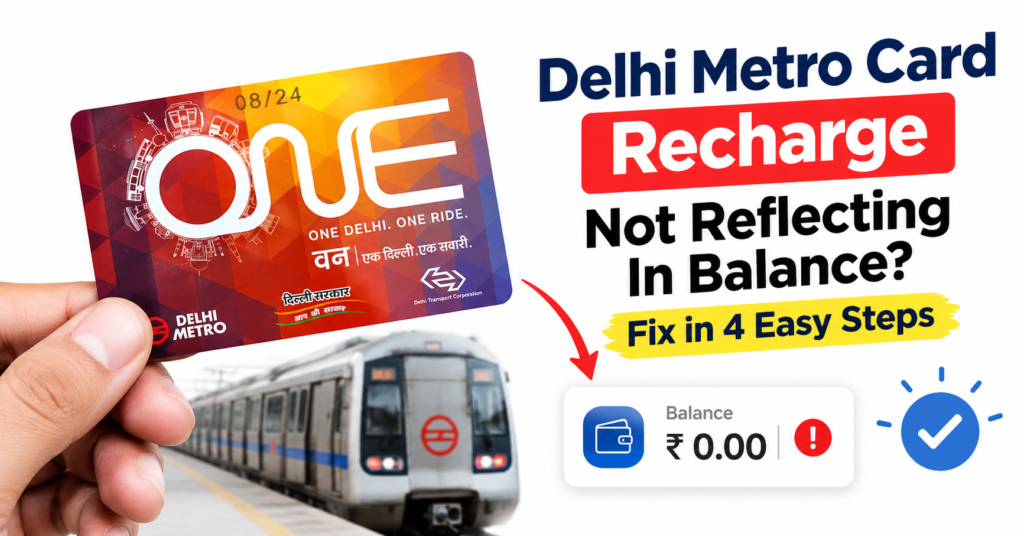
Imagine this: You are rushing for work, your smart card is low on cash, so you quickly top it up via Paytm. The money flies out of your bank account, you tap your card at the entry gate, and… Beep! “Low Balance.”
It is incredibly frustrating when your delhi metro card recharge not reflecting in balance happens right when you are in a massive hurry.
First things first—don’t panic, your hard-earned money is completely safe!
When you encounter the delhi metro card recharge not reflecting in balance issue, the funds go straight into the secure DMRC servers. However, they do not automatically sync with the physical electronic chip inside your smart card. You just need to pull that data down manually at the station.
Here is a super simple, step-by-step practical guide on how to solve the delhi metro card recharge not reflecting in balance error right now.
Fast Summary: How to Fix Metro Card Balance Problems
If you are standing at the station platform reading this on your mobile data, use this quick cheat sheet to sort your delhi metro card recharge not reflecting in balance issue immediately:
| What to Do | Where to Go | How Long It Takes |
|---|---|---|
| ✅ Locate Kiosk | Find the white & blue Add Value Machine (AVM) near Customer Care | 30 seconds |
| ✅ Insert Card | Place your physical smart card into the machine’s slot | 2 seconds |
| ✅ Tap Top-Up | Select the “Top-Up” or “Validating Online Recharge” button | 5 seconds |
| ✅ Sync Complete | Wait for the “Recharge Successful” screen before removing your card | 5 seconds |
The Simple 4-Step Process to Sync Your Metro Card Balance
To bridge the gap between your online payment gateway and your physical card, you must interact with an official DMRC Add Value Machine (AVM).
These touch-screen kiosks are located right next to the customer desks at the entrance of every single station. Following these four steps will resolve your delhi metro card recharge not reflecting in balance problem in under a minute.
Step 1: Walk to the Add Value Machine (AVM)
Skip the automatic entry gates (AFC gates) for now. The regular scanner gates are built to read existing balances, not to process active cloud database updates.
Head straight for the blue and white AVM kiosk. This is the only place where a delhi metro card recharge not reflecting in balance error can be physically resolved by commuters.
Step 2: Insert or Tap Your Smart Card
Drop your physical metro card into the designated card holding slot. Alternatively, place it flat against the reader pad, depending on the station’s machine model.
The machine must read the chip to address the delhi metro card recharge not reflecting in balance status.
Step 3: Select “Top-Up” on the Touchscreen Screen
The monitor will scan your chip layout and display your current active funds. On the touch screen, tap the option labeled “Top-Up” or “Validating Online Recharge”.
This action directly pings the server to clear the delhi metro card recharge not reflecting in balance block.
Step 4: Wait for the Success Screen
The network machine will ping the live central DMRC servers to check for your digital transaction. Within roughly 3 to 5 seconds, you will see a flash message saying “Recharge Successful” or “Balance Updated.”
Your delhi metro card recharge not reflecting in balance issue is now completely fixed! Do not pull your card out until this message shows up.
What if the AVM Says “No Online Recharge Found”?
If you completed your payment but the machine insists a delhi metro card recharge not reflecting in balance error still exists, it is usually tied to one of these three common real-world bugs:
1. The 15-Minute App Delay
If you processed your online payment via external apps like Amazon Pay, Google Pay, or PhonePe, the data bridge can occasionally take 15 to 20 minutes to hit the main metro network.
This delay keeps your delhi metro card recharge not reflecting in balance until the servers talk to each other. Grab a quick snack, wait a bit, and try the slot again.
2. The Wrong Smart Card Number Error
Grab your digital receipt and double-check the digits. If you accidentally mistyped your unique card ID during checkout, it causes a permanent delhi metro card recharge not reflecting in balance issue on your physical card.
The payment will settle into someone else’s account. Unfortunately, DMRC cannot reverse or transfer these funds.
3. Local Kiosk Network Failure
Sometimes an individual machine simply loses its data connection, showing a false delhi metro card recharge not reflecting in balance prompt.
If one booth acts up, try the AVM kiosk right next to it. You can also walk straight to the manual Customer Care window.
The station master can force-update the card balance using their main desktop pad. This is a foolproof way to bypass the delhi metro card recharge not reflecting in balance loop.
Money Gone But Recharge Failed? How to Get an Auto-Refund
If the station servers dropped the connection mid-payment, your delhi metro card recharge not reflecting in balance issue is due to a transaction failure. The money gets caught in a secure technical loop between your bank and the gateway.
-
- The Auto-Refund Window: Good news! You do not need to fill out any long grievance forms for a delhi metro card recharge not reflecting in balance payment failure. The majority of UPI apps automatically trace failed transit top-ups. They credit the amount back to your account within 3 to 5 working days.
- Escalating Directly to DMRC Support: If a full week passes and your delhi metro card recharge not reflecting in balance query turns into a missing money issue, contact the support team. You can check your transaction status directly on the official DMRC Smart Card Portal or write an email to the official team at delhimetrorail@dmrc.org. Make sure to paste your transaction reference ID, your card’s physical number, and the date of the event.
Frequently Asked Questions (FAQs)
1. Can I activate my online metro recharge at the entry gate directly?
No, the automatic entry gates cannot process a delhi metro card recharge not reflecting in balance issue. You must pass your card through an Add Value Machine (AVM) or use the customer care counter first before hitting the gates.
If you are changing platforms later, be sure to read our quick guide on the Kashmere Gate Metro Station Gate 5 Exit to ISBT to avoid getting stuck at interchange gates.
2. Is there a time limit to validate my online metro recharge?
Yes, this is very important! Once your web transaction goes through, you must tap and validate your card at an AVM kiosk within 10 days.
If you forget, the pending delhi metro card recharge not reflecting in balance status will expire. DMRC triggers an auto-refund back to your bank account.
If you are traveling from far away, planning your trip via our Anand Vihar ISBT se IGI Airport combined metro map guide can help you avoid these time-limit hassles.
3. What are the minimum and maximum online top-up limits?
The minimum allowable online top-up value across all mobile apps is strictly ₹100. Additionally, the absolute maximum balance limit you can store on your physical smart card chip is capped at ₹2,000.
Knowing these limits helps prevent a permanent delhi metro card recharge not reflecting in balance error due to account overloading.
Read Also…..

